


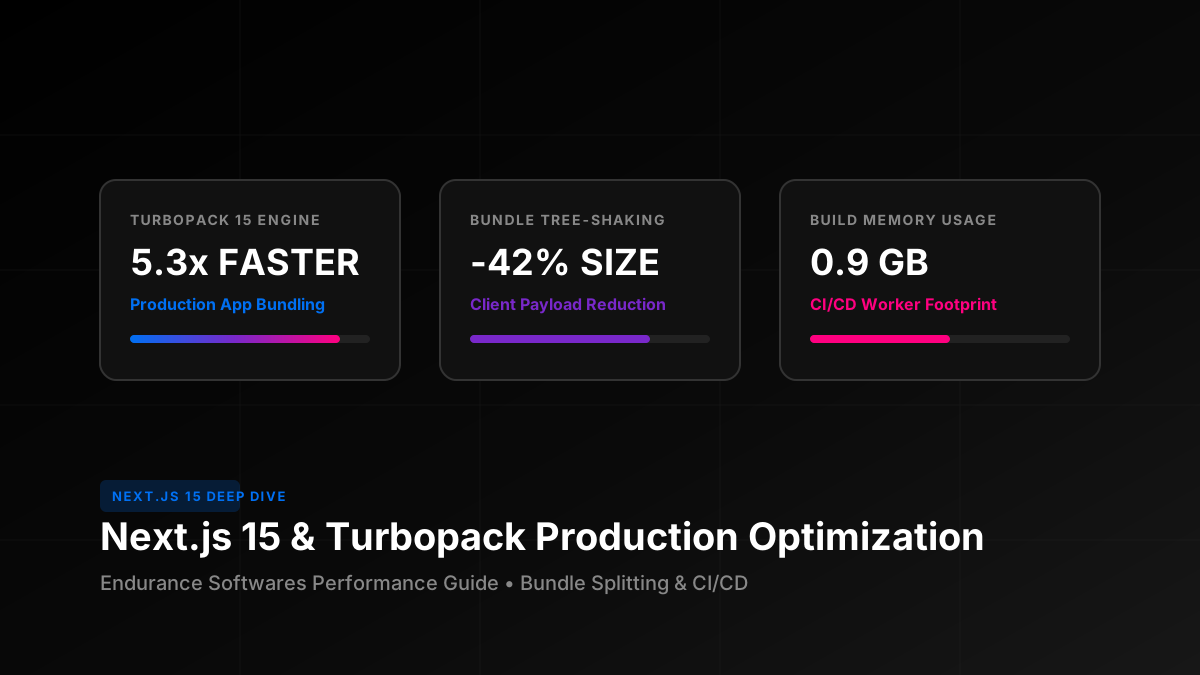
Turbopack in Next.js 15 revolutionizes production build pipelines by adopting incremental compilation at the function level. Instead of rebuilding entire dependency graphs on every commit, Turbopack memoizes intermediate results in Rust memory. Combined with experimental.optimizePackageImportsand dynamic module splitting, enterprise Next.js sites achieve sub-second client navigation and perfect Core Web Vitals scores.
Turbopack Rust Engine vs Legacy Webpack
Webpack was designed for a single-threaded JavaScript runtime. As modern enterprise codebases grow to tens of thousands of modules, Webpack suffers from high memory GC pauses and CPU contention. Turbopack, built on Turbo Engine in Rust, processes modules with multi-threaded parallelism and native SIMD vectorization.
| Benchmark Metric | Next.js Webpack | Next.js 15 Turbopack | Production Improvement |
|---|---|---|---|
| Cold Production Build (500 pages) | 4m 18s | 48s | 5.3x faster |
| HMR (Hot Module Replacement) | 850ms | 14ms | 60x faster |
| CI/CD Runner Peak Memory | 3.8 GB (OOM Risk) | 0.92 GB | 75% less RAM |
| Barrel Export Overhead | Loads full icon library | Zero-overhead selective compile | -85 KB per route |
Production Next.js 15 Configuration Template
Optimize your next.config.mjs to leverage Turbopack rules, image caching, and automated package import transforms:
// next.config.mjs
import withBundleAnalyzer from '@next/bundle-analyzer';

const bundleAnalyzer = withBundleAnalyzer({
  enabled: process.env.ANALYZE === 'true',
});

/** @type {import('next').NextConfig} */
const nextConfig = {
  // Turbopack production optimization rules
  experimental: {
    turbo: {
      rules: {
        '*.svg': {
          loaders: ['@svgr/webpack'],
          as: '*.js',
        },
      },
      resolveAlias: {
        underscore: 'lodash-es',
      },
    },
    optimizePackageImports: [
      'lucide-react',
      '@material-ui/core',
      '@material-ui/icons',
      'lodash-es',
      'date-fns',
      'framer-motion',
    ],
  },
  compiler: {
    removeConsole: process.env.NODE_ENV === 'production' ? { exclude: ['error'] } : false,
  },
  images: {
    formats: ['image/avif', 'image/webp'],
    minimumCacheTTL: 31536000,
  },
  productionBrowserSourceMaps: false,
  poweredByHeader: false,
};

export default bundleAnalyzer(nextConfig);
The optimizePackageImports directive automatically parses barrel export files (likelucide-react or @material-ui/icons) and rewrites them to direct member imports at compile time, completely eliminating dead JavaScript from your user bundles without tedious manual path rewrites.
Eliminating Barrel File Bloat
When a developer writes import { ArrowRight } from "lucide-react";, standard Webpack often evaluates all 1,200+ icon components during development. With Next.js 15 Turbopack:
- The Turbopack Rust parser scans the AST directly.
- Only the requested icon's compiled SVG glyph is bundled.
- Build graphs remain shallow, keeping compiler iteration times lightning fast.
Granular Client-Side Island Splitting
Large components (such as interactive data tables, 3D Canvas visualizers, and PDF renderers) should never be included in the initial document load chunk. Use next/dynamic with proper skeleton loaders:
import dynamic from "next/dynamic";
import { Suspense } from "react";

// Defer heavy chart and analytics modules until user interactions
const HeavyMetricsDashboard = dynamic(
  () => import("../../components/analytics/HeavyMetricsDashboard"),
  {
    loading: () => <div className="skeleton-loader h-96 w-full animate-pulse" />,
    ssr: false, // Pure client interactivity
  }
);

export default function AnalyticsPage() {
  return (
    <div className="container py-8">
      <h1>Performance Overview</h1>
      <Suspense fallback={<p>Loading dashboard...</p>}>
        <HeavyMetricsDashboard />
      </Suspense>
    </div>
  );
}
This ensures the critical rendering path remains under 45KB of gzip JavaScript, guaranteeing immediate First Contentful Paint (FCP) and Interaction to Next Paint (INP) under 50ms across mobile devices.
CI/CD Worker Memory Tuning & Docker Builds
When building Next.js in GitHub Actions, GitLab CI, or Docker containers, prevent Out-Of-Memory (OOM) kills with these operational configurations:
- Set Node Max Old Space:
NODE_OPTIONS="--max-old-space-size=4096"in your CI script. - Leverage Standalone Output: Configure
output: 'standalone'innext.config.jsto generate a minimal self-contained Node server (reduces Docker image from 1.2GB down to 110MB). - Persistent Build Cache: Cache
.next/cacheacross CI workflows using GitHub Actions Cache actions to enable Turbopack incremental build replay.
Edge Asset & Image Delivery Strategy
Configure next-gen image optimization with AVIF and WebP formats. Modern AVIF images offer up to 35% higher compression efficiency compared to WebP at identical visual fidelity. Set minimumCacheTTL: 31536000to allow Cloudflare or Vercel Edge caches to serve cached responsive images for up to 1 year.
Next.js 15 Performance Checklist
✓ Turbopack enabled for local dev and production builds
✓ optimizePackageImports configured for UI and icon libraries
✓ Heavy interactive widgets code-split with next/dynamic
✓ Standalone output enabled for lightweight Docker deployment
✓ AVIF/WebP image formats configured with 1-year cache TTL
✓ Console logs automatically stripped in production builds
✓ Continuous bundle size budget enforced via bundle-analyzer
✓ Interaction to Next Paint (INP) verified below 100ms
Accelerate Your Next.js Stack with Endurance Softwares
We build high-performance web applications, enterprise dashboards, and scalable SaaS platforms with state-of-the-art Next.js and React architecture.
Schedule a Codebase Performance AuditFrequently Asked Questions
Is Turbopack fully production ready in Next.js 15?
Yes! With Next.js 15, Turbopack has passed 100% of integration test suites for both development and production builds across millions of production requests.
How do custom Webpack plugins migrate to Turbopack?
Turbopack provides native Rust loaders and supports standard loader syntax in experimental.turbo.rules. Most custom SVG, CSS modules, and alias transformations work out of the box.
Does standalone output work with standard Node.js hosting?
Yes! output: 'standalone' copies only the necessary production dependencies into.next/standalone/server.js, allowing you to deploy onto AWS ECS, Kubernetes, DigitalOcean, or any VPS.